Setting up Cline
- Open up Cline.
- Click on the settings gear icon in the top right.
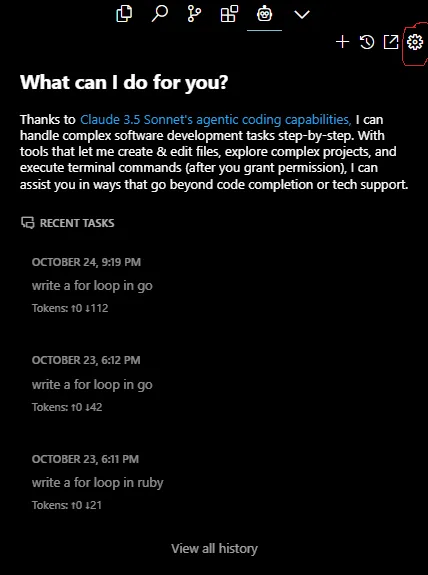
- Select OpenAi Compatible from the API Provider dropdown.
- For the base URL enter
https://api-stg.boxchat.ai.
- For the API Key, enter the API key that was generated for you.
- For the Model ID, enter in the models provided here: Models.
For the example, we will use
gpt-4o-mini.
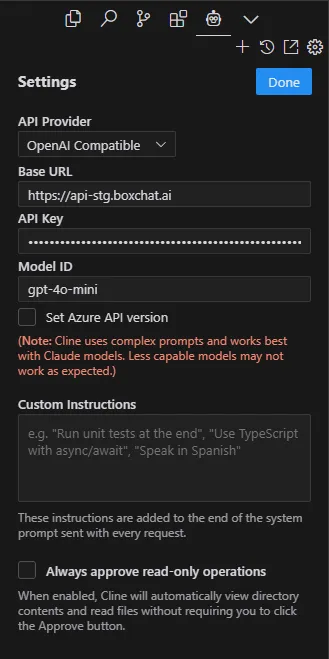 Press the done button once completed.
Now you can run through creating tasks.